Posts

Google Testing Previews in Search

Image
I recently noticed a magnifying glass next to google's search results, clicking on which showed a page preview of the page. We have already seen page preview plugins for Wordpress blogs(see snapshot ). Google has also revamped it's image search result display page and we all have experienced Google Instant by now. So while google might have changed a lot behind the scenes and added a lot of functionality, the general look of the website has remained consistent.(see archive.com : Google in the year 2000 ) Searchengineland has an article dating back to 2009 which talks about Google apge preview with a different look. And as you can see in the images along side, techland and the register among others have covered the topic as early as 6th of this month. The page preview highlights the lines which have the search terms, so you can decide if the page contains content you wish to view. While netbooks might find the feature taking too much real estate, the feature in general is a we...

Google New Look: Google Looks Like Bing!

Image
Sometime back Google gave it's homepage a minimalistic look with a fade-in effect. That was OK. Google also added a Search Options tab in the search results page. That was useful. Now Google has added a More tab to the left with Images, Blogs, Shopping and what not as options. Most of these search options have always appeared at the top of the page. Google has also brightened up the page and everything looks so 'brightly' blue. All of that would have been ok too, but somehow these changes make Google look more like Bing! More points for Bing or should Google do a rethink? PS: The change has not spread everywhere. Most search pages return the default look

Verified by Visa (VbV) & Mastercard Securecode become mandatory for Indian debit cards

Debit cards issued by Indian Banks can no longer be used on websites that do not support 3-D Secure. Registrations for 3D Secure(Verified by Visa, Mastercard Securecode) began on August 1st 2009, but cards were being processed properly by sites not supporting VbV/Securecode nonetheless. Starting December 2009 however, cards can only be used on sites supporting VbV/Securecode. This doesn't bode well with users of websites like PayPal and Godaddy among others. Credit Cards on the other hand continue to work as before.

CPU Temperature Guide for Intel Core i7 & i7 Extreme: Range of Normal CPU Temperatures

Is your CPU Temperature too High? How high is too high? Is 60 degree Celsius high enough or is 70 degree Celsius the threshold?  Below we discuss Intel Core i7 & i7 Extreme If your CPU is overheating, visit our CPU Overheating Guide and CPU Overheating: Symptoms, Causes, & Solutions Intel Core i7 & i7 Extreme: (If you wish to access the PDF related to your processor, please first follow the link given under sources at the end of the article instead of directly accessing the pdf link given under each sub heading. This will help you access the latest information on your processor from Intel's website & will also prevent hotlinking.) 1. Intel® Core™ i7 Processor Extreme Edition Series and Intel® Core™ i7 Processor Intel ® Core™i7-965 , i7-940, i7-920 Processors Range: 43.2 degree Celsius (Power - 0W) to 67.9 degree Celsius (Power 130W) Source: http://download.intel.com/design/processor/datashts/320834.pdf Page : 79 Table: 6-2 2. Intel® Core™ i7-900 Deskt...

CPU Temperature Guide for Intel Core 2 Quad: Range of Normal CPU Temperatures

Is your CPU Temperature too High? How high is high? Is 60 degree Celsius high enough or is 70 degree Celsius the threshold? Hipatic covers your temperature problems right here. Below we discuss Intel Core 2 Quad If your CPU is overheating, visit our CPU Overheating Guide Intel Core 2 Quad: (If you wish to access the PDF related to your processor, please first follow the link given under sources at the end of the article instead of directly accessing the pdf link given under each sub heading. This will help you access the latest information on your processor from Intel's website & will also prevent hotlinking.) 1. Intel® Core™2 Extreme Processor QX9000¹ Series and Intel® Core™2 Quad Processor Q9000¹, Q9000S¹, Q8000¹ and Q8000S¹ Series Datasheet Intel ® Core™2 Extreme Processor QX9770 Thermal Profile Range: 37.8 degree Celsius (Power - 0W) to 55.5 degree Celsius (Power 135W) Source: http://download.intel.com/design/processor/datashts/318726.pdf Page : 77 Table: 5-2 Intel ® Core™...

[Part 5] Setting Up Blogger with .co.cc domain: Ultimate Setup, Resolve with non-www and www versions of your domain name

Image
Part 5 (Final part!): { This article is the 5 th part of a 5 part series on Setting up Blogger with a .co.cc domain: Ultimate Setup Please read the series from the start as this article alone may not make much sense Part 1 Part 2 Part 3 Part 4 Part 5 } In Part 1 you got a free .co.cc domain In Part 2 you got a free Hipatic Hosting In Part 3 you got the A name of your free hosting In Part 4 you configured everydns .net Now we will redirect non-www to www i.e mydomain.co.cc to www.mydomain.co.cc Once redirect is done all that the end user will ever see when he/she enters mycdomain.co.cc is www.mydomain.co.cc and your blog! Remember your end user will never see the long myusername.hipatic.0lx.net The method which we will follow is "Redirect using . htaccess " which is supported with the hosting that we have procured from hipatic.0lx.net in Part 2 Open notepad, copy the following into it, REPLACE MYDOMAIN WITH YOUR DOMAIN NAME. Change nothing else RewriteEngine On Rewrit...

[Part 4] Setting Up Blogger with .co.cc domain: Ultimate Setup, Resolve with non-www and www versions of your domain name

Image
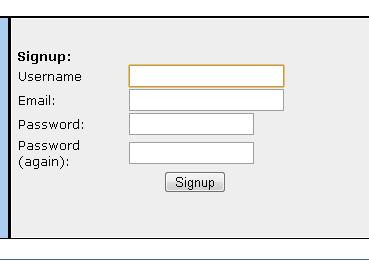
Part 4: { This article is the 4 th part of a 5 part series on Setting up Blogger with a .co.cc domain: Ultimate Setup Please read the series from the start as this article alone may not make much sense Part 1 Part 2 Part 3 Part 4 Part 5 } In Part 1 you got a free .co.cc domain In Part 2 you got a free Hipatic Hosting In Part 3 you got the A name of your free hosting Now if you remember in Part 1 we had setup your .co.cc doamin's DNS and pointed it to ns1.everydns.net, ns2.everydns.net, ns3.everydns.net & ns4.everydns.net. In Part 4 we will setup your dns at everydns .net to respond to that. Now goto http://everydns.net If you are a new user, sign up! Fill in the form with a proper email id. Press Sign Up. Follow the instructions that follow carefully. Once you have created a account. Login with the username and password you specified while signing up at http://everydns.net On your dashboard, you'll see something similar. Replace eg. : everydns .net with your .co.cc...